|
|

|
AD: Upgrade ArcaOS to NeoWPS level
- Install original PNG icons drawed by designer, specialized at OS/2 adornation.
- Install eSchemes 2019 to change colors and buttons on desktop.
|
Installation and setup of USB Audio adapter |
TITLE: Installation and setup of USB Audio adapter
DATE: 2012-02-09 14:36:59
AUTHOR: Sergey Glazunov
Please use online translator
go to http://translate.google.com
and request the translation of http://ru.ecomstation./showarticle.php?id=265
to your language |
| ..... ..... .............. . ....... ........ |
........: 2012/02/10
............ USB Audio
...... ......... ....... ....... .......... .....-..........
........ .. ..., ............ ........ ....... .....-........,
....... ............ ..... USB .......... ... ......... ......:
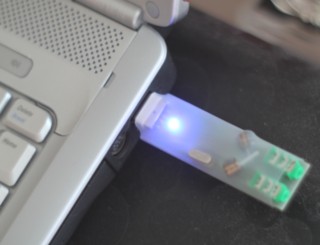
|
.... ..... ........ ..... .....
. .......... ... SPDIF ...... (......... .....-......).
... ......., ..... ...... USB Audio . SPDIF ........
|
|
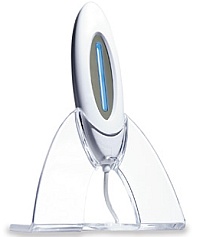
........... ..........
........, FM ..........: .. ...... ............. ....
.. ............ FM-......., ...... ...... ....... ..........
..... ....... .....-.........
|
|
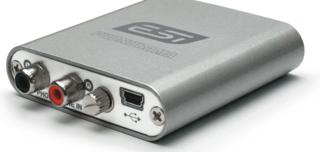
................ .....-.......
......... ....... .... ....... .....
........ .......... ....... ...........
|
......... ........ ... ........ USB Audio
1. ........ ......... ...........
.... . ....... ... .......... ...... ............, .. .... .......
........... . ........ ........., ... .....:
Local system ->
System Setup ->
Install/Remove ->
Multimedia Application Install
. ....... ......... .. 2-.. .........:
Reinitialize your Multimedia installation
............. ..........
2. ......... ........
* .......... ....... .. ......... .......
* . .... ........ ......... .......... ...........:
    minstall /f:.

  .. ...... ........ ......... . ..... ......, ....... Ctrl-Break, Ctrl-C


  ... 1: .. ...... .. ......:
    Active package is : '......... ............. USB'
    1 - '............ USB' (Selected)
    Please select/deselect group(s), ENTER to install or ESC to exit

    // ......... ..... . ......... ... USB ..... .........
    //   (Selected) - ........, ... ...... ..... N 1
    //   (.... .. ......, .. ....... 1)

    ........: ....... Enter


  ... 2:
    Active package is : '......... ............. USB'
    Active group is   : '............ USB'

    Select amount of cards to install (maximum is 1 or press 0 for no cards)

    // ....... ......... ..... ...........?

    ........: ....... 1


  ... 3:
    Are you sure to install this package? (ENTER to confirm)

    // .. ......., ... ...... .......... .....?

    ........: ....... Enter ... ......... ......
........... .........:
 -> C:\MMOS2\HELP\usbaudio.hlp
 -> C:\MMOS2\usbaudio.sys
Removing existing MCI-drivers...
Generating card...
Creating MCI-Driver 'SWHTWAVEUSB01'
Creating MCI-Driver 'IBMSEQPAS1601'
Creating MCI-Driver 'IBMAMPMIXPAS1601'
Return-Code FE00 (CID: Success, system should reboot)

    // FE00 - ... . .......
3. ....... .......
* ... minstall:
x:\MMOS2\INSTALL\MINSTALL.LOG


Q: kmp .....:
DART error(138e):Hardware error.
Cannot intialize DART

A:
* ..... .......... ..... ........ .... .... ................... MMOS2
* ........./.......... .....-.......
......... .... .....-.........
.....-........ .. ............. .....
Local System -> Install/Remove -> Multimedia Application Install
(......... ....... -> ........./........ -> ......... ...........).
....... ... ......... ... ........ ...... ... .... ........... . MMPM2.INI.
. .... ...... ........... ... .........
ALC 887 ....... ..... ....... .. ........... ...... . ...... ... ....... USBAUDIO.
....... . ......... ....... .. ALC 887 .. ...... .... .......... . ........ eComsatation 2.0. ... ........ ........ ....
..... ......... ....... USBAUDIO 1.100 ....... . ......
..... . MMPM2.INI, ..... ......:
Waveaudio=SWHTWAVEUSB01,UNIAUDWAVE01
Ampmix=IBMAMPMIXPAS1601,UNIAUDAMPMIX01
.......... ...... ... . .......... ... .. ... ..... ...... ......
. ...... ...... . .... .......... ...... USBAUDIO .. . .......
.... ........ ....... SWHTWAVEUSB01,UNIAUDWAVE01, IBMAMPMIXPAS1601,UNIAUDAMPMIX01 .. ..... ...... ALC 887.
... ............. MMOS2 ..... ........... ........
. .....-.. . .... ... .. ................ ...... ....... ....-.. ...... ...... ....... .. ....... . eComsatation ............. .. .... ... ...........
..... ......... ............ ..... .....-........?
.............. ..........:
- .....: ........ ......
- ..........: Eugene Gorbunoff
|
Test the program:
|
 ThirdEye - utility aimed to download photos from digital still cameras attached via COM-port
|
Comments: Comment this article.

|
eCo Software is a group of russian developers.
How to support eCo Software? (you can send us some computers. Maybe you don't use the device but it may be useful for the developers). We have the mailboxes in USA, Netherlands, China and Hong Kong. |
|
|